

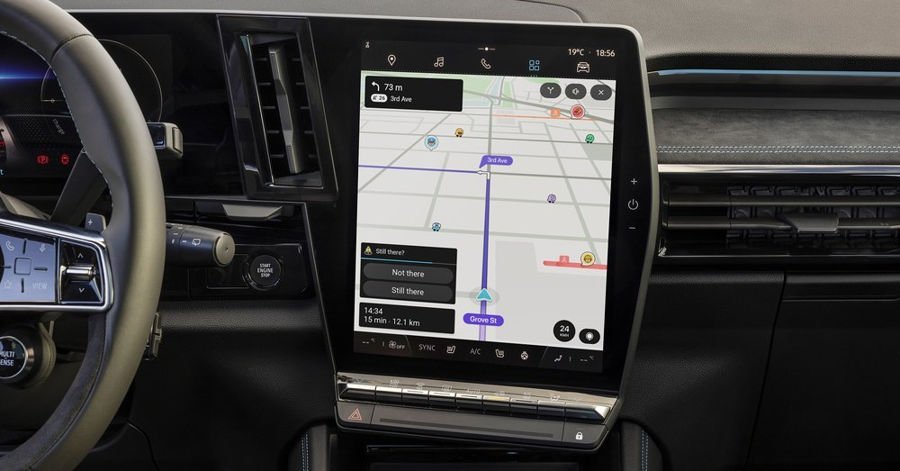
After more than a decade of user requests, Waze is finally testing a feature that shows traffic lights directly on its maps. The update brings it closer to what Google Maps has offered since 2022.
The new Waze traffic lights feature, discovered by GeekTime, adds small icons at intersections along your route. You can see where signals are coming up as you drive. During active navigation, Waze caps the display to about three upcoming traffic lights at a time. This prevents cluttering a map already filled with hazard reports, police alerts, and traffic jams.
When you’re not navigating and just browsing the map, Waze shows all nearby Waze traffic lights around your current location. This gives a fuller picture of how signal-heavy an area is. The test is reportedly running only in Israel right now, with no confirmed timeline for expansion to other countries.
Waze publicly acknowledged traffic light support as a planned feature earlier this year. Multiple forum threads and suggestion posts have been asking for the same visual cues Google Maps already offers. Because Google owns Waze, it may leverage Google Maps’ existing traffic light data instead of rebuilding that database from scratch. This could speed up broader rollout.
Closing the gap with Google Maps
Google Maps began showing traffic light icons on intersections globally several years ago. The feature gives drivers clear visual cues for upcoming signals and helps with lane and turn anticipation. Waze, in contrast, has historically ignored static map details like Waze traffic lights. Instead, it optimized routes purely from real-world speed data and user reports.
By adopting traffic light icons, Waze is narrowing a feature gap that’s existed for years. However, its stricter limit on how many lights are visible during navigation shows Waze is preserving its minimalist style. The app still prioritizes information only when needed rather than mirroring Google Maps completely.
For city drivers, especially in unfamiliar areas, seeing traffic lights on the route reduces last-second confusion at complex intersections. Icons work as landmarks on the map, helping you understand exactly where to stop or turn. This becomes especially useful when several sets of lights are close together or partially blocked by buildings and trucks.
Over time, having traffic lights properly mapped could unlock smarter routing. Waze might not only avoid congestion, but potentially steer you along routes with fewer or better-timed signals. That could lead to “green wave” optimization ideas, where navigation optimizes for how many greens you catch instead of just trip time on paper.
