

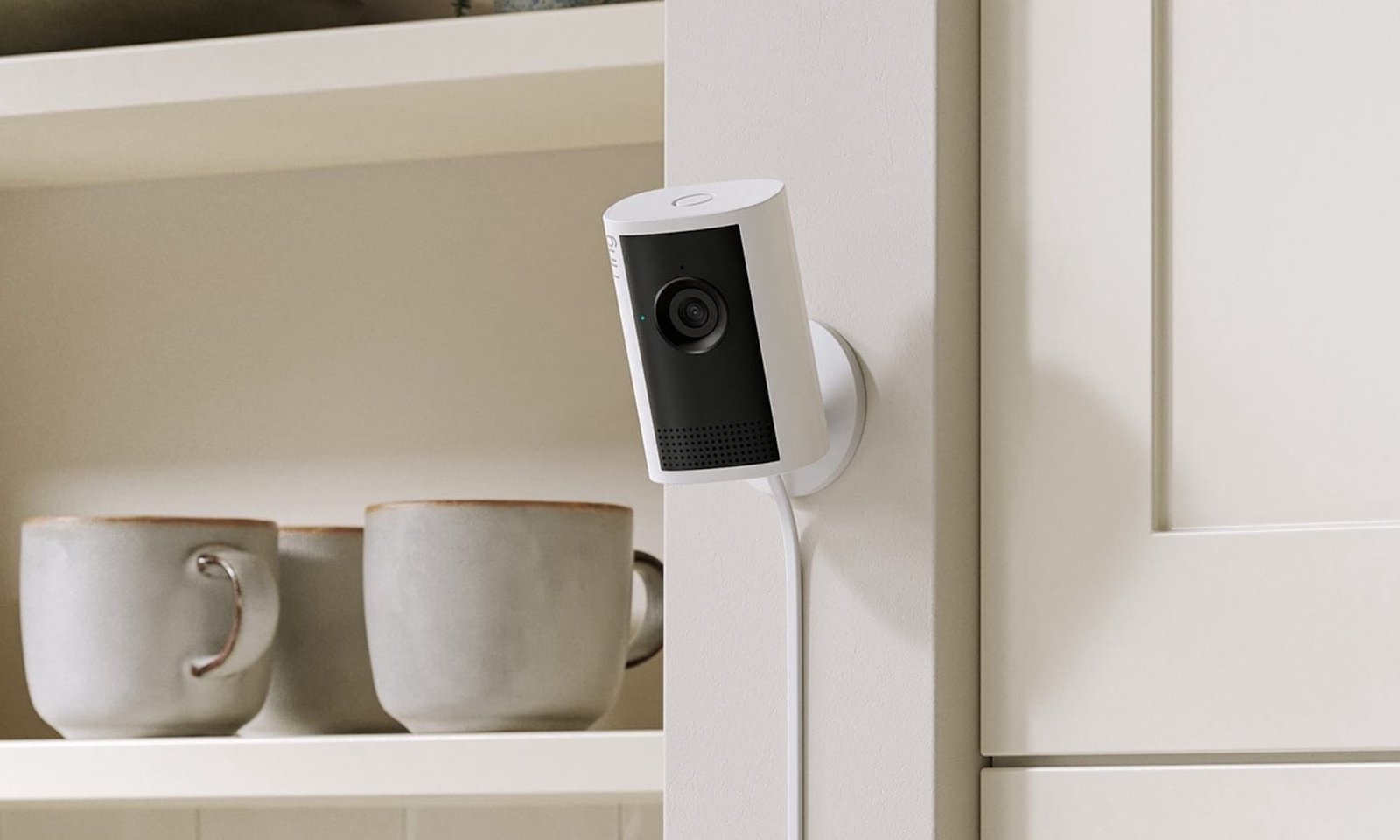
Shopping for a no subscription security camera? I’ve been there. And, I’ll be honest, the local storage vs AI motion alerts dilemma definitely weighed on me. Did I want more control over my data, or AI-powered alerts that keep me informed 24/7? In subscription-free cameras, you rarely get both at their best. Here’s how I broke down the decision—and how you can too.
Why You Can’t Have It All: Local Storage vs AI Alerts in No Subscription Security Cameras
At first glance, it feels like you should be able to get both—full local storage and smart AI alerts—without paying a monthly fee. In reality, most wireless security cameras force a compromise because of how they’re built.
When you skip subscriptions, you’re relying almost entirely on the camera’s onboard hardware. That means limited processing power and limited storage—usually a microSD card or a local hub. According to Consumer Reports, many cameras without subscriptions store footage locally but sacrifice advanced features like event filtering and intelligent alerts, which are more common in cloud-connected systems.
This is where the tension shows up.
Local storage gives you full control—your footage stays on-device, there are no recurring fees, and privacy is stronger. But the downside is usability. Without cloud indexing, finding a specific event often means scrubbing through hours of footage.
AI motion alerts, on the other hand, make cameras feel “smart.” They have useful features like person, package, and vehicle detection that dramatically reduce false alerts. But there’s a catch: those capabilities depend on cloud-based processing, where more powerful servers analyze video data. As IBM’s Think blog explains in its work on edge vs. cloud computing, complex AI tasks typically require more computing power than local devices can handle
Bottom line: smarter alerts need more compute—and in most cases, that power lives in the cloud.
When You Should Prioritize Local Storage
So, when does it make sense to buy a home security camera with local storage? That’s simple: when no fees, full control, and better privacy are all top concerns. For example, if I want a camera for a low-traffic area—like a backyard corner, garage, or side entrance—I don’t necessarily need constant smart alerts. I just want reliable footage that I own, stored locally, and accessible when I need it.
That ownership piece matters more than most people realize. With local storage (microSD or a home base), your footage isn’t continuously uploaded to external servers. Organizations like Electronic Frontier Foundation have long pointed out the privacy implications of cloud-connected cameras, especially when sensitive footage is stored off-device.If you’re even slightly privacy-conscious, this alone can tip the scale.
There’s also the cost factor. Consumer Reports says that some cameras offer basic functionality without subscriptions—but advanced features are often locked behind paid plans Local storage sidesteps that entirely. You pay once, and you’re done.
But this independence comes with trade-offs. Without cloud indexing or AI filtering, finding a specific moment can mean scrolling through hours of footage. And if thieves steal the camera itself, you could lose everything stored on it.
Still, for me, if the goal is long-term cost savings and privacy local storage wins—even if it asks a bit more effort in return.
Local-Storage-Friendly Cameras
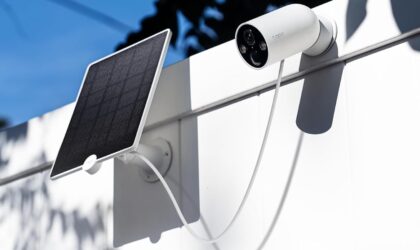
TP-Link Tapo C425
If I just want something that works—without overthinking it—the Tapo C425 is an easy pick. It’s a battery-powered outdoor camera with 1080p video and microSD local storage, so there’s no pressure to sign up for anything after setup. It covers the essentials well: motion detection, activity zones, and app-based access through TP-Link’s Tapo ecosystem. For a camera in a quieter area, that’s usually enough. I also like that it keeps things straightforward—no complicated hubs or add-ons required.
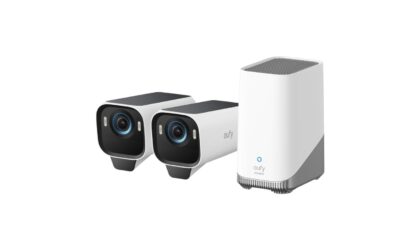
eufyCam S3 Pro
This is the camera I’d go for if I want high-end video without getting locked into a subscription. The eufyCam S3 Pro records in 4K, which makes a noticeable difference for faces and fine details, especially in larger outdoor spaces. What I like most is how it handles local storage. Instead of relying on a tiny microSD card inside the camera, it uses a HomeBase hub with expandable storage, so your footage feels more secure and easier to manage. You also get on-device AI for person and motion detection, which means smarter alerts without sending everything to the cloud. Battery life is designed for long stretches, and the system is built to be more “set it and forget it” than most.
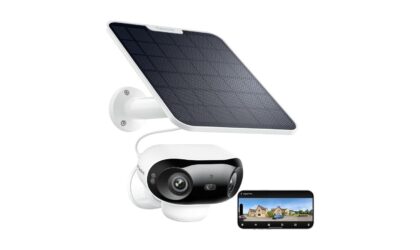
REOLINK Argus 4 Pro
This one stands out for its dual-lens design, which creates an ultra-wide field of view without the distortion you usually get from single wide-angle cameras. If I’m covering a large area—like a backyard or driveway—this makes a real difference. It records in high-resolution (up to 4K-class detail depending on mode) and supports local storage via microSD, with optional cloud if you ever want it. Reolink also includes on-device motion detection and basic AI alerts, so you still get some smart filtering without relying on subscriptions. The flexibility here is what I like—you can keep everything local or expand later.
When You Should Prioritize AI Motion Alerts
It’s a different story when the goal isn’t just recording—but knowing what’s happened, the moment it’s happened. I’m talking about when you want to set up a camera in high-traffic areas like a front door or driveway. In those cases, footage isn’t enough. I want to know when a person shows up, a package is delivered, or something unusual happens.
That’s where AI alerts make a real difference. Person detection can let me know when someone’s at my doorstep, or a package has been dropped off, even when I’m across the world. It’s a huge benefit that essentially turns my camera from a passive recorder into a remote doorman. Brands like Ring clearly position this as a core benefit—smart alerts that distinguish between people and motion are part of their subscription-based plans. Similarly, Google Nest emphasizes event-based recording and intelligent alerts that highlight meaningful activity instead of constant noise.
And that’s a key argument. AI reduces noise. It saves time, cuts down false alarms, and makes the system usable day-to-day—not something you eventually ignore.
This convenience comes at a cost, though. The most accurate AI features are often locked behind subscriptions. Without them, detection can feel basic or unreliable. And because many of these systems rely on cloud processing, there are privacy considerations—your footage is being analyzed off-device.
Still, if I care about real-time awareness and not missing important moments, AI alerts are hard to beat.
AI-Motion-Alert Security Cameras
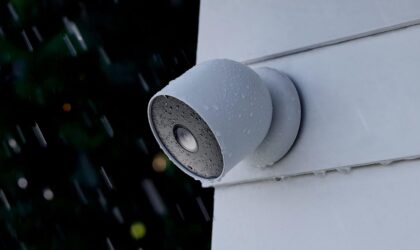
Google Nest Cam Battery (2nd Gen)
This is the camera I’d recommend if you want AI alerts without the usual headache. The Nest Cam (battery) uses on-device intelligence to recognize people, animals, and vehicles right out of the box—no subscription needed for the basics. I like that it records event-based clips locally (up to ~3 hours) even if Wi-Fi drops, which adds reliability you don’t always get. Video quality sits at 1080p HDR, and the field of view is a wide 130°—perfect for entryways or driveways. You also get activity zones, two-way audio, and seamless integration with the Google Home app. The catch? If you want longer video history or features like familiar face detection, you’ll need a Nest Aware plan.
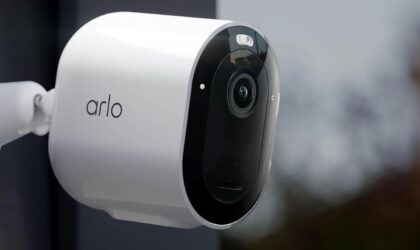
Arlo Pro 5S
If you care about both video clarity and smart detection, the Arlo Pro 5S hits a nice balance. It records in 2K HDR with a 160° field of view, so you see more detail across a wider area—useful for larger driveways or backyards. AI-wise, it can detect people, vehicles, packages, and animals, and in my experience, Arlo’s alerts tend to be among the more accurate. It also supports dual-band Wi-Fi for better connectivity and has a built-in spotlight for night visibility. Just like the others, you’ll need an Arlo Secure subscription to unlock the full AI experience and extended cloud storage.
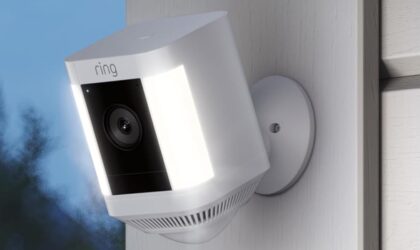
Ring Spotlight Cam Plus
This is the one I’d pick if you want a new Ring camera with all the connected bells and whistles. The Spotlight Cam Plus offers motion-activated lighting with smart alerts, making it especially useful for driveways and front doors. You get 1080p HD video, customizable motion zones, and real-time notifications that can be fine-tuned. The built-in spotlight and siren even more deterrence, which I appreciate. Where it leans into AI is with person alerts and advanced motion filtering—but like most Ring devices, those features are tied to a Ring Protect subscription.
The Verdict
If you want control, privacy, and zero ongoing costs, I recommend choosing local storage. It gives you full ownership of your footage and keeps everything off the cloud—even if it requires more manual effort.
If you want convenience and actionable alerts, prioritize AI motion detection. A camera that tells you what’s happening in real time is far more useful than one that simply records everything.
For most homeowners, I’d lean slightly toward AI motion alerts. In everyday use, intelligent notifications make a bigger difference than having hours of stored footage you rarely check.
That said, if your top priority is avoiding subscriptions altogether, local storage is the smarter long-term choice—you trade convenience for independence, but you keep full control.
