

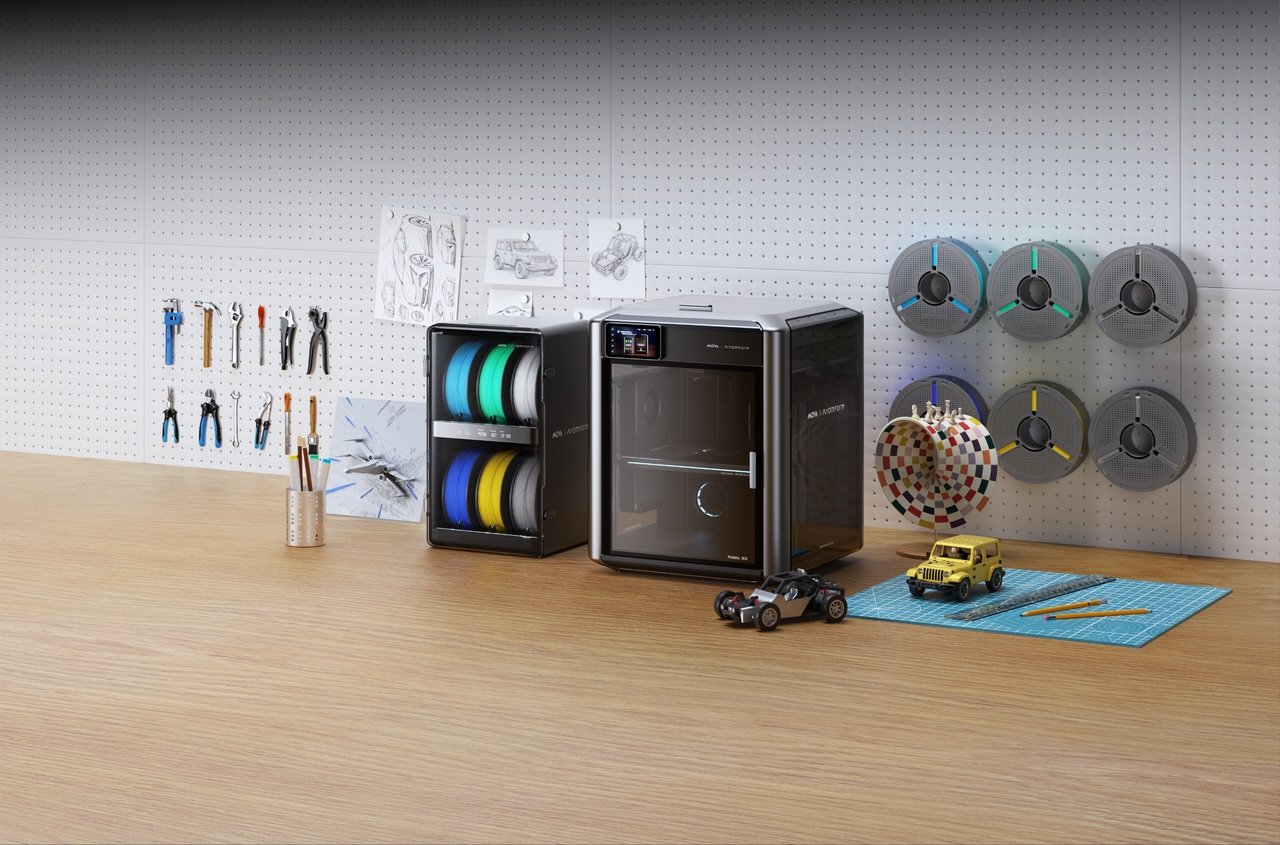
I have a very specific toxic trait.
I believe every idea I have can be turned into a physical object… immediately.
A custom figurine? Easy.
A multi-color prototype? Obviously.
A hyper-specific desk accessory that only makes sense to me? Say less.
And then I open a 3D printing workflow—and suddenly I’m not a creator anymore. I’m an unpaid intern in a settings dashboard.
That’s the gap. That’s always been the gap.
And it’s exactly where MOVA AtomForm steps in with the AtomForm Palette 300—not as another “more powerful” tool, but as something way more interesting:
A tool that actually wants you to keep creating.
The idea was never the problem
Here’s the thing about 3D printing.
The bottleneck was never imagination. It was a translation.
Turning “this would be cool” into “this is printable” has always involved a weird mix of patience, technical guesswork, and silent frustration.
Multi-color printing? Even worse.
You’re juggling materials, slicing parts separately, reconfiguring settings like you’re cracking a code—and by the time it’s ready, the original excitement is… gone.
The Palette 300 doesn’t pretend that complexity doesn’t exist.
It just quietly handles more of it for you.
Multi-color, minus the drama
Let’s talk about what actually changes here.
Multi-color and multi-material printing has always been messy. You’re dealing with constant filament swaps, purge towers piling up like regret, and print times that stretch longer than they should. It’s inefficient, wasteful, and honestly… a bit exhausting.
This is where things shift.
The proprietary OmniElement™ 12-nozzle automatic switching system isn’t just another spec to skim past. It uses a precision rotary structure with 12 independently heated and fed nozzles—so instead of relying on a single nozzle doing all the work (and all the switching), each material is ready to go when needed.
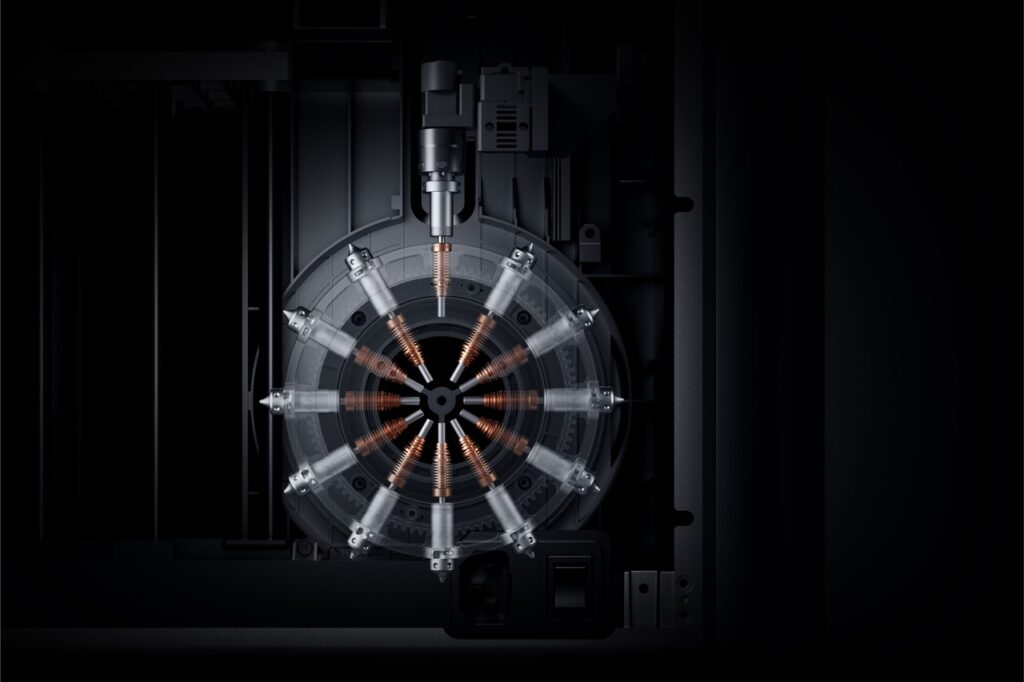
In real life, that translates to a simple difference: “I need to babysit this print” vs “I can actually trust this to run.”
By switching nozzles instead of relying on a single-nozzle purge, we’ve slashed waste, ended the color bleeding, and made transitions rapid.
The result? Cleaner color reproduction and significantly more stable prints.
It’s not flashy—it’s just… relieving.
Then there’s the ReadyPrint feeding system, which solves a problem no one talks about until it ruins your day: efficiency.
To ensure industrial-grade consistency within a consumer-ready footprint, intelligence is integrated into every stage of the Palette 300. Equipped with over 50 sensors and four AI-powered cameras, the system provides continuous, real-time monitoring of the build environment.
This “Always-On” oversight system analyzes and auto-corrects print deviations as they occur, ensuring flawless multi-color execution without requiring user intervention.
The software that doesn’t fight you
Now here’s where I was expecting friction again.
Because hardware can be great—but software is where things usually fall apart.
Except AtomForm Studio doesn’t try to impress you. It tries to get out of your way.
There’s a feature called Print Queue, and I swear this is the kind of thing you don’t realize is life-changing until you use it.
Instead of slicing each part separately (and slowly losing your will to live), you load everything once—and it just handles the rest.
Auto-setup. Auto-slicing. One flow.
No ceremony. No overthinking.
Then there’s Easy Mode, which is basically a quiet acknowledgement that not everyone wants to become a slicing expert.
You pick it. It handles the settings. You move on.
It’s not dumbing things down—it’s respecting your time.
And then there’s AtomVerse (aka: no more “but I can’t model” excuses)
This part? Sneaky powerful.
Because even if you simplify printing, there’s still a big blocker:
“What if I don’t know how to design anything?”
Enter AtomVerse.
It’s part library, part community, part creative engine. But more importantly—it removes the “I can’t” from the equation.
You can:
- Turn ideas into models using AI
- Learn through built-in courses
- Download designs freely
- Even earn when your creations get used
It’s not just about printing anymore. It’s about participating.
And that’s a much bigger shift than it sounds.
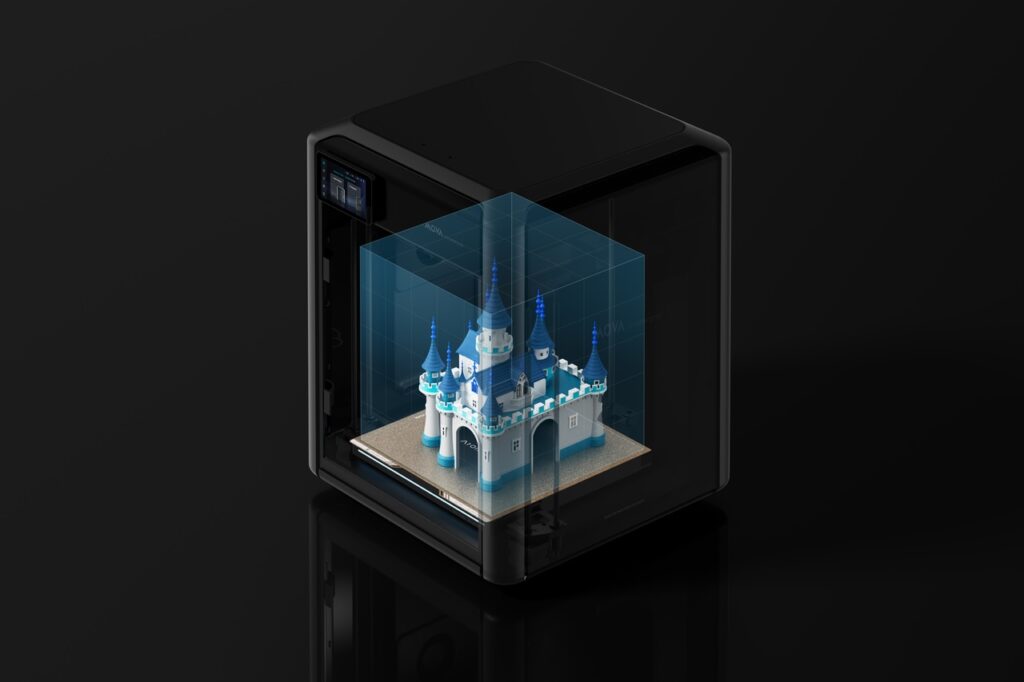
Why this actually matters
Let me be blunt for a second.
3D printing has been “almost mainstream” for years.
Close enough to feel exciting. Far enough to feel intimidating.
What MOVA AtomForm is doing with the Palette 300 is quietly solving that tension.
Not by adding more features—but by removing friction across the entire journey:
- Hardware that doesn’t interrupt
- Software that doesn’t overwhelm
- A platform that doesn’t exclude
That combination? That’s what makes something click.
This isn’t just for “makers”
And that’s the part I like most.
Because this isn’t built only for the hardcore 3D printing crowd.
It’s for:
- The designer who wants faster iterations
- The content creator who wants physical storytelling
- The curious beginner who just wants to try something new
- The person who has ideas—but zero patience for complicated workflows
In other words: it’s for people who want to create, not configure.
Also… it looks like it knows what it’s doing
Quick side note—but worth mentioning.
The Palette 300 has already picked up major design awards (iF Design Award 2026, MUSE Gold), which basically confirms what you already feel looking at it:
This isn’t a scrappy prototype energy product.
It’s polished. Intentional. Thought through.
And that matters more than we like to admit.
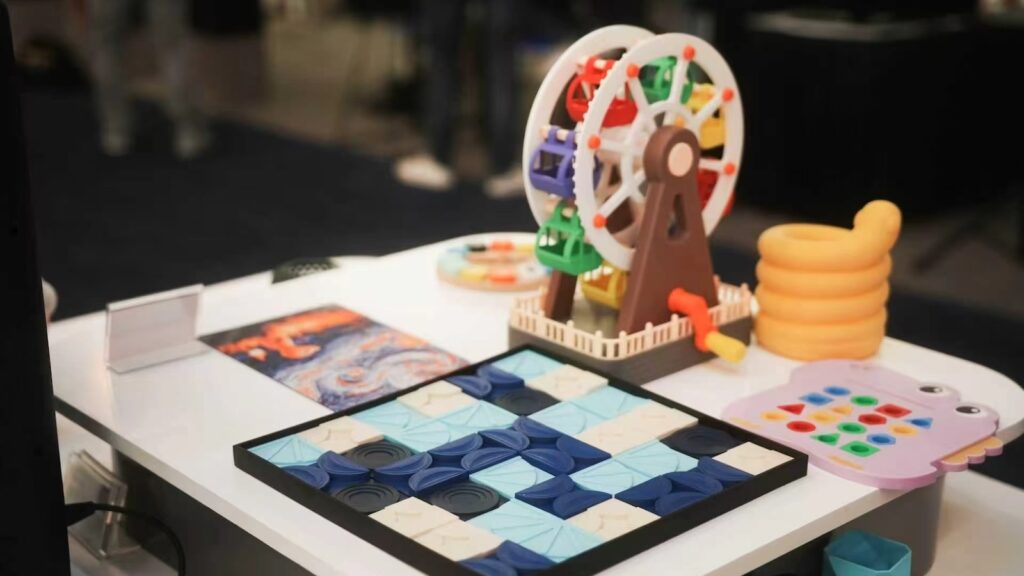
Final thought: this is what “unbound” actually feels like
“Creation Unbound” is one of those phrases that could easily sound like marketing fluff.
But here, it actually lands.
Because when the friction disappears—even a little—you start thinking differently.
You try things you wouldn’t have tried.
You finish things you would’ve abandoned.
You stay in the creative zone longer.
And that’s the real win.
If you’re curious (or already mentally designing your next project), you can check out what they’re building here:
👉https://atomform.tech/
👉https://www.instagram.com/atomform_official/
Because sometimes, the biggest upgrade isn’t what a tool can do.
It’s how little it gets in your way.
