

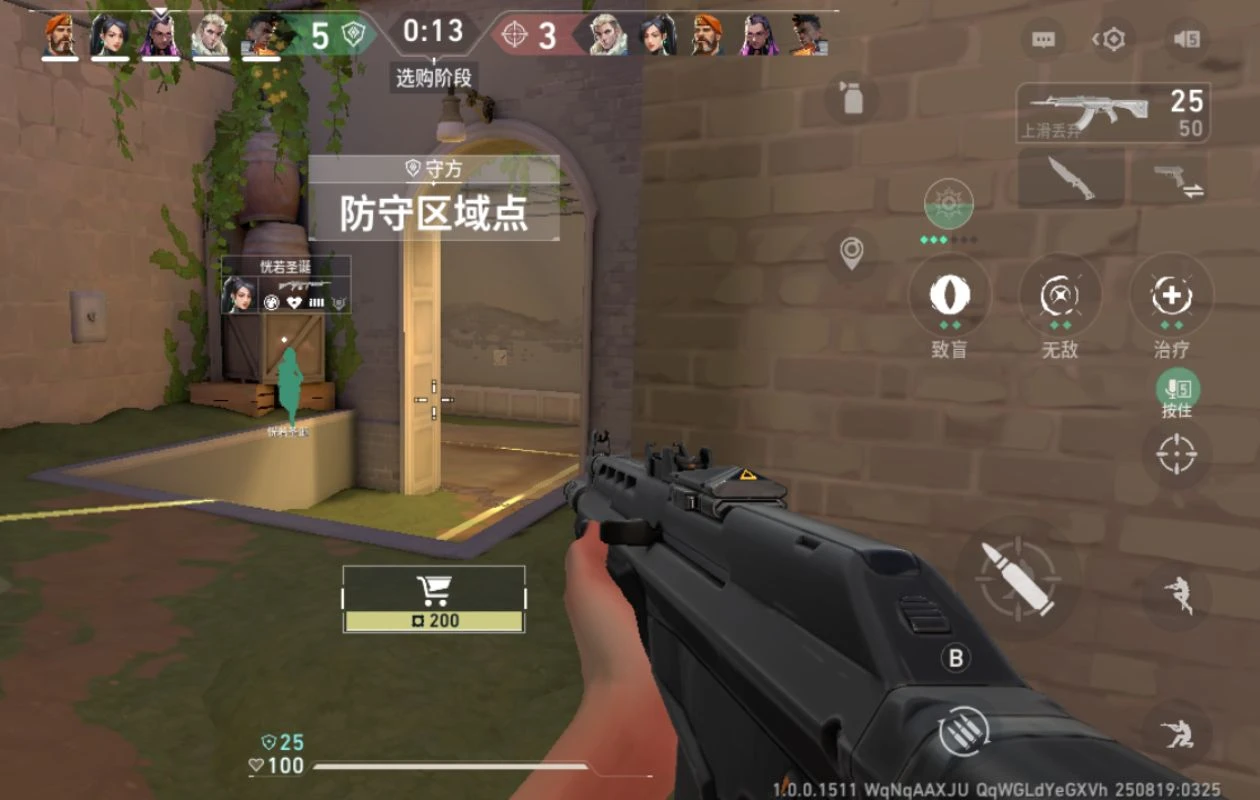
One of the most popular tactical FPS shooter games has finally made its way to mobile platforms. The game in question is Valorant. Yes! Valorant is now available for you to play on Android as well as iOS smartphones. However, there is a catch, at least for the time being. So, what’s the catch?
Well, the catch is that Valorant Mobile is currently available in China. Yes, it’s a bummer that the game has not been released globally, but we can expect a global release for Valorant to take place later this year- hopefully that is.
So, how can you, a Valorant fan, enjoy Valorant on your smartphone? Let’s find out!
How to Play Valorant Mobile from Any Part of the World
Since the game is currently available in China, you will need to do some tinkering to get the game on your smartphone and even get it working at this point. Let’s take a look at the prerequisites to get Valorant on your smartphone.
Valorant Mobile: Prerequisites
- VPN with China as a location
- Verified WeChat or QQ account
- Valorant Mobile game
- Android or iOS smartphone
Yes, you will need to have a WeChat or a QQ account that has been verified either by a friend or a person who is residing in China. You see, in China, you need to log in with either one of these services, or else you will not be able to launch or play Valorant mobile on your smartphone.
If you have everything ready, let’s take a look at how you can get Valorant mobile on your Android and iOS device.
How to Play Valorant Mobile on Android Smartphones
Getting Valorant Mobile for your Android smartphone is simple and easy. Because Android lets you easily sideload apps to your smartphone without any fuss, the process is simple and quick. Just follow these steps.
Step 1: Open your favorite web browser on your Android smartphone, open up Google and search for TapTap China.
Step 2: Click on this link if you are not able to find it.
Step 3: Download the TapTap App Store by clicking on the Android button. Once downloaded, install the TapTap app store on your Android smartphone.
Step 4: Launch the TapTap app store and tap on the search bar. Now, type in Valorant.

Step 5: Once you see the game from the search results, tap on it. Now, tap on the green download button.
Step 6: A 1.8 GB file will now begin to download. Once you have the game installed, you will have to launch it to continue downloading more of the files for the game.
Step 7: Before that, make sure to launch your VPN and set the region to China. An additional 4 GB of data will be used to download the other field for the game.
Once everything is ready, launch the game and make sure to sign in using your WeChat or QQ account. If you don’t, you will not be able to play the game.

How to Play Valorant Mobile on iPhone
Moving towards the iOS side of things, while it is not easy to sideload apps to an iPhone, getting the Valorant mobile app is pretty simple. Here’s what you need to do.
Step 1: Launch the App Store on your iPhone
Step 2: Now, tap on your profile icon to open up the App Store profile/settings page.
Step 3: Scroll down and tap on the Country/Region option.

Step 4: From the region list, tap and select the China mainland option.
Step 5: You will be asked to fill out some details, such as your address. Type in whatever address you like.
Step 6: Once everything is done, close the App Store and relaunch it.
Step 7: Simply search for the Valorant app in the app store and proceed with installing it.
Playing Valorant Mobile
Once everything is set up and ready, make sure to have the VPN enabled with the region set to China or any of its neighboring countries. Do note that you will have to log in with your verified WeChat or QQ account. This is important, at least when it comes to games that are currently available in China.

You can get the WeChat app for Android and iOS by heading over to their official WeChat website. The same can also be done for the QQ app by visiting the official QQ website and downloading the app for your device.
Valorant Mobile Global Release Date
While players in China can play the game right away, the game is still far from global release. The global release is expected to be released either towards the end of 2025 or through the first half of 2026. So far, nothing is concrete, so take this information with a nice amount of salt.
Valorant Supported Platforms
While the global version is yet to be released, you can enjoy the game for free by playing it on PC, Xbox Series X|S, and PlayStation 5|5 Pro. If you are interested in playing Valorant on PC (via Epic Games Store), check out the recommended and minimum system requirements
Valorant PC Minimum System Requirements
- OS: Windows 10 64-bit
- RAM: 4 GB
- CPU: Intel Core 2 Duo E8400 or AMD Athlon 200GE
- GPU: Intel HD 4000 or AMD Radeon R5 200
Valorant PC Recommended System Requirements
- OS: Windows 10/11 64-bit
- RAM: 4 GB
- CPU: Intel Core i3 4150 or AMD Ryzen 3 1200
- GPU: Nvidia GeForce GT 730 or AMD Radeon R7 240
This concludes everything you need to know about Valorant mobile and how you can play the game in any part of the world for now. Sure, the workaround for now is not ideal, but once the game is released globally, you simply have to install the game from your device’s app store and play right away with your friends.
Explore More:
