

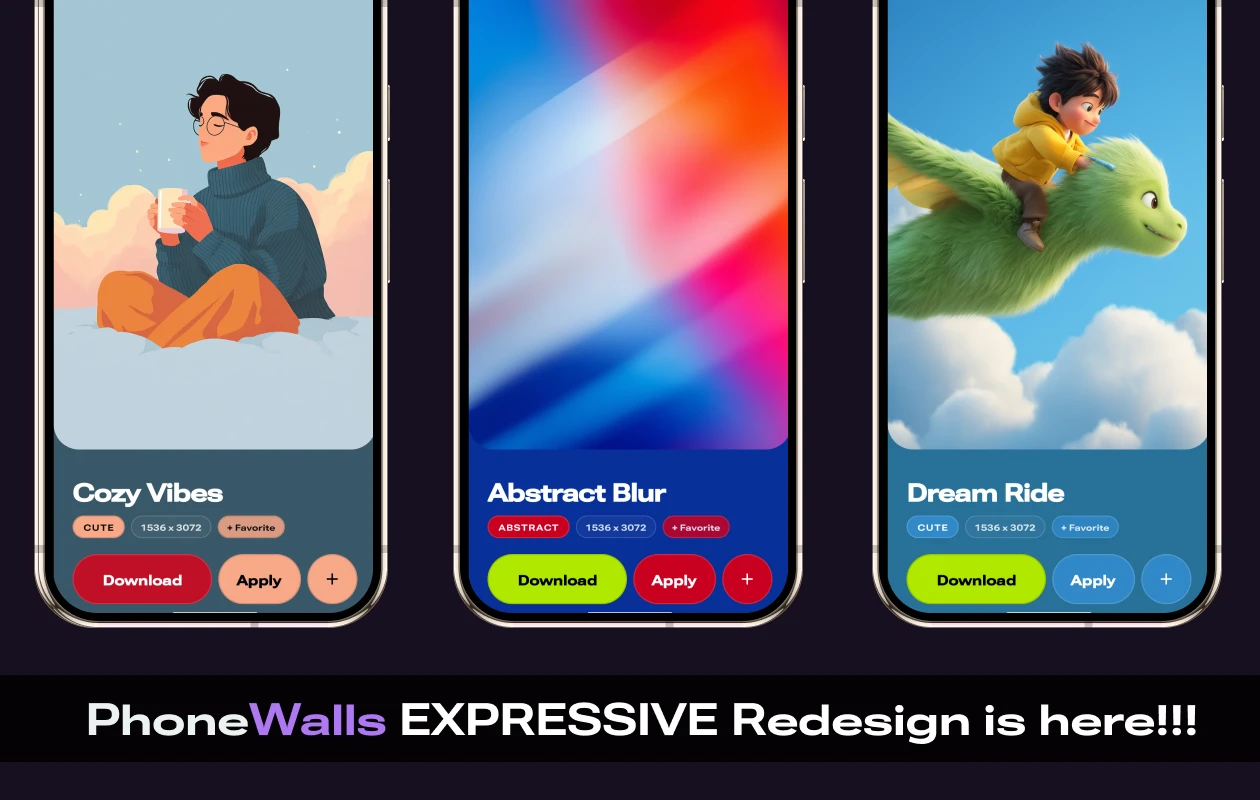
We’ve just released a major update to the PhoneWalls Android app – version 3! The latest version brings a fresh Material 3 Expressive design along with three different themes for you to explore. Many of our users requested a design upgrade, and we’re excited to finally deliver it.
Everything New in PhoneWalls v3.0.0
- The new Material 3 Expressive redesign
- New Wallpaper Preview design
- New Settings Page
- Shuffle button to open random wallpapers
- Revamped Dark, Light, and AMOLED themes
- Improved localization
- Performance improvements and bug fixes
The PhoneWalls app originally started as a side project for sharing stock wallpapers with our users. Initially, we didn’t focus much on the app’s design and kept it minimal, which looked modern at the time. However, it was time for a fresh look, so we redesigned the UI to align with Google’s latest Material 3 Expressive design language.
PhoneWalls v3.0.0 incorporates most of the Material 3 Expressive components, including loading indicators, progress indicators, sheets, dialogs, fonts, buttons, adaptive colors, vibrant visuals, cards, chips, switches, and more. With these modifications, along with redesigned wallpaper preview and settings pages, the app now feels completely refreshed and unlike anything it was before.
By default, the app now launches with the new signature Dark Mode, featuring a dark purple background with lighter purple accents. Users can also switch between Light and AMOLED modes for a fresh look whenever they like.
In Light and AMOLED modes, the primary accent color is dynamically chosen from the first wallpaper card. We’ve also kept a fixed secondary accent color, which you’ll notice when refreshing content and in various indicators throughout the app.
Now, let’s take a look at the new Wallpaper Preview design. The preview now ends just before the details section, where you’ll find the wallpaper’s name, info chips, and various buttons. All these elements sit above an adaptive color background that picks its hue from the wallpaper currently open in the preview. The Download button adapts to the app’s primary accent color, while the other details dynamically match colors from the wallpaper itself, creating a cohesive and vibrant look.

The Settings page has also been completely redesigned and now features a vibrant, colorful look. Settings are organized into clearly defined blocks, with each block grouping related options together. This not only makes the page visually appealing but also improves usability by making settings easier and faster to find.

This is just the beginning – there’s a lot more coming. So keep an eye out for upcoming updates. PhoneWalls will continue to improve and evolve with every new release, bringing even better features and refinements along the way.
If you’ve been part of the PhoneWalls journey, you’ll instantly notice the smoother experience and major improvements in overall app performance. And if you haven’t tried PhoneWalls yet, now is the perfect time to start a new journey with us.
Related Articles:
