

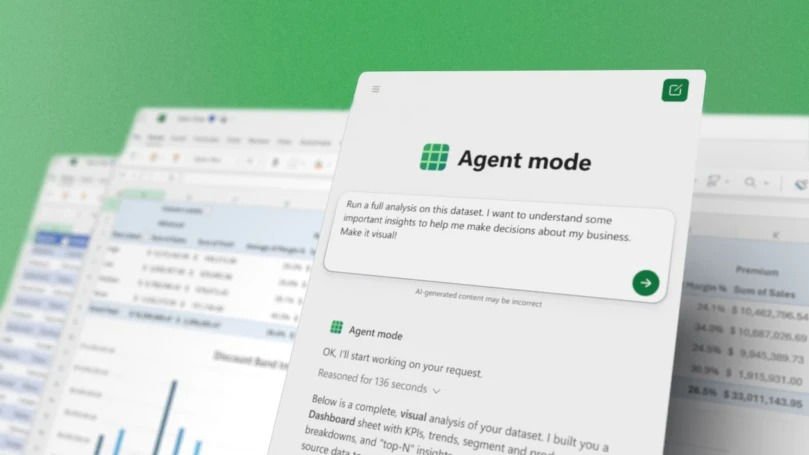
Microsoft just made Office apps smarter with Office Agent Mode. This new AI feature is powered by Anthropic’s Claude models. The update introduces Agent Mode in Excel and Word. There’s also a separate Office Agent in Copilot. It can create PowerPoint presentations and Word documents through simple conversations. Microsoft calls this “vibe working.” You describe what you need and the AI handles multiple steps to deliver polished results. Think of it as having an assistant that actually understands Office apps.
Agent Mode works directly inside Excel and Word on the web. You can handle complex tasks without jumping between windows. In Excel, ask it to run full analysis on sales data. It decides which formulas to use, creates new sheets, and builds visualizations. In Word, Agent Mode turns document creation into an interactive conversation. Copilot drafts content, suggests refinements, and asks clarifying questions.
The separate Office Agent lives in Copilot chat. It focuses on creating documents from scratch. Give it a prompt like “Create a deck summarizing athleisure market trends.” It clarifies your intent, conducts web research, and generates a polished PowerPoint. Microsoft previously struggled with AI-generated presentations, but the new features seem to fix that.
Agent Mode in Excel and Word uses OpenAI models. Office Agent runs on Anthropic’s Claude for PowerPoint and Word documents. This split shows Microsoft hedging its bets across AI providers. The company has been expanding beyond OpenAI lately. It’s been adding Copilot features across different products. Agent Mode is rolling out in preview through Microsoft’s Frontier program. It’s available for Microsoft 365 Copilot users and Personal or Family subscribers. Desktop versions and full PowerPoint support will arrive later.
