

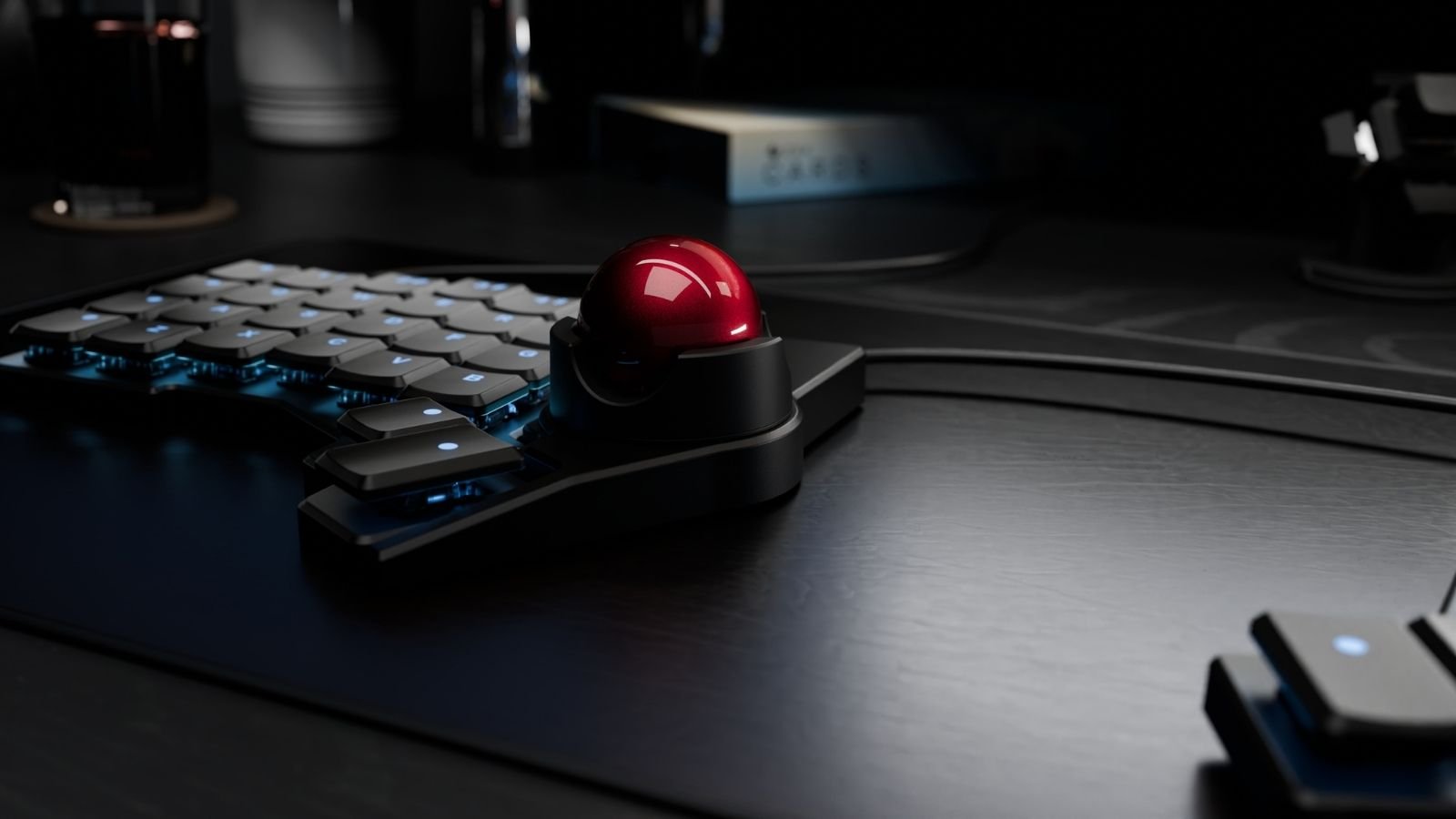
ZSA Navigator
Customize cursor control around your preferences with the ZSA Navigator.
- Magnetic Snap-On Shell: Rare-earth magnets and orientation pins secure the Navigator to your Voyager. The shell stays in place, even at steep tilt angles or while suspended in the air.
- Choose Trackball or Trackpad: The same shell fits both modules. You can switch between the 35 mm ceramic-bead trackball and the tap-to-click trackpad at any time, depending on what your work needs.
- Scroll Wheel Mode: Press or hold a key and the entire trackball becomes a large scroll wheel, letting you scroll vertically or horizontally at a controlled pace.
- Left or Right Side Mounting: Mounts on either side of the Voyager, making it one of the few pointing devices with a genuine left-hand option.
- Oryx Configuration in Three Clicks: Setup takes place inside Oryx, ZSA’s graphical configurator. Mouse buttons go wherever you want them, and the trackball supports an auto-mouse layer that activates the moment you move the ball.
If you’re a productivity-focused user who browses, codes, or manages email, you’ll find the ZSA Navigator a capable, desk-clearing replacement for a standalone mouse.
What is Gadget Flow?
Why Use Gadget Flow?
Meet the Team
Gadget Flow is headquartered in New York City, and most of our team works remotely from the US and Europe. We are tech enthusiasts who love to learn about new technologies and the latest innovations. Talented individuals who are passionate about the future, we work tirelessly and love to excite you and teach you about advancements in our field.
Join Gadget Flow Today
Explore the world of Gadget Flow so you know when any new tech launches—anywhere. Create your account using your email or any of our supported third-party logins, such as Google, Apple, and Facebook.
1
Create Wish Lists
Sign up to create private and public wish lists that you can share with family and friends. It’s also easy to organize your favorite gadgets into different collections, like gift guides, smart home products you love, and more.
2
Get Product Notifications
What do you do when you find a product that you love but aren’t ready to buy? Simply create a notification! Click the three little dots by the buy now button and select Add Reminder to get notified. Receive a reminder when it’s discounted, Black Friday, the next season, or any date you choose.
3
Discover with Watch
Now you can discover new products through our video feed. With Gadget Flow Watch, browse through your favorite categories and create playlists. Our endless selection of videos will have you discovering gadgets for hours.
See all of our features:
Collections
Create public or private collections
My Feed
Create your custom product feed
AR/VR/3D
Discover our products in VR, AR, and 3D
Exlusive Deals
New Discounts and deals, daily
Watch
Find new products through video
Brand Pages
Follow your favorite brands
Notify Me
Product reminders or sale reminders
Multiple Currencies
Browse using your local currency
Tech News
Stay updated with the latest tech news
Our Mission: Help You Find the Best Gadgets
We simplify product discovery. This means you can find all the greatest gadgets in record time. As a technology company, our mission since 2012 has been to make it easy for you to discover quality products and stay updated with the latest trends.
What Is a Gadget?
What Are the Types of Gadgets?
What Gadgets Are Trending Today?
What Are the Top New Tech Trends?
